Magento 2 Upgrade Services
Fix failed upgrades and upgrade safely without downtime. Magento 2 upgrades often fail due to incompatible extensions, PHP conflicts, or database issues, which can break checkout, block admin access, or take the entire store offline. AALogics Magento 2 Upgrade Services recover broken upgrades and move your store to the latest stable version through a controlled, low-risk process that protects your data, performance, and revenue while keeping your store stable throughout the upgrade.




Clients
100+
Projects
300+
Products
40+
Experience
10+ years
Why Store Owners Choose AALogics for Magento 2 Upgrade Services?
Magento 2 Upgrade Specialists
We manage complex Magento upgrades across core, extensions, themes, and server environments, including failed and high-risk upgrades.
Failed Upgrade Recovery
We stabilize broken stores first, then safely complete the upgrade the right way so failures don’t repeat.
Structured & Safe Process
We follow a controlled, step-by-step upgrade approach that minimizes downtime, data risk, and functionality issues.
Extension & Theme Compatibility
We audit, test, and fix incompatible or outdated extensions and themes before and after upgrading.
Security & Performance Ready
We align your upgraded store with the latest security patches and performance best practices for long-term stability.
Global Magento Experience
We support Magento 2 stores across the USA, UK, UAE, and worldwide for businesses of all sizes.
Common Magento 2 Upgrade Problems We Fix
Store owners usually face one or more of these issues during or after Magento upgrades:

Failed or Incomplete Magento Upgrades
Upgrade processes that stop midway, throw errors, or leave the store partially broken.

Broken Storefront or Admin Panel
Post-upgrade issues where the frontend, backend, or both stop working correctly.

Extension & Theme Conflicts After Upgrade
Third-party modules or custom themes failing due to incompatibility with the new Magento version.

Database & Code Integrity Issues
Schema errors, missing tables, broken custom code, or failed upgrade scripts causing instability.
A Step-by-Step Look at How AALogics Delivers Magento 2 Upgrade Services
01
We assess your Magento version, server, and extensions for risks.


02
We plan compatibility fixes and a safe upgrade path.
03
We upgrade Magento in a staging environment first.


04
We test, stabilize, deploy, and monitor the live store
Magento 2 Upgrade Process
At AALogics, Magento 2 upgrades are treated as critical infrastructure changes, not routine updates. Our structured upgrade process minimizes risk, protects revenue, and ensures business continuity throughout the upgrade lifecycle.
01. Upgrade Assessment
We evaluate your Magento version, server setup, extensions, themes, and customizations.
02. Upgrade Planning & Blueprint
A detailed upgrade roadmap is created, including version changes, compatibility risks, and rollback plans.
03. Upgrade Execution
Magento core, dependencies, and configurations are upgraded using controlled and tested methods.
04. Testing & Stabilization
Checkout, admin, indexing, integrations, and performance are validated after the upgrade.
05. Launch & Post-Upgrade Support
he upgraded store is deployed with monitoring and immediate issue resolution if required.
Services We Offer
Magento Development Services | Magento Company Powered by an Expert Team
Partner with an expert team for enterprise eCommerce. AALogics delivers AI-driven Magento development, custom Magento plugin development, and 24/7 Magento maintenance. Contact us today!
Magento 2 Speed Optimization & Performance Fix Services
AALogics speeds up slow Magento 2 stores by fixing real technical issues that hurt rankings, user experience, and sales.
Magento 2 Maintenance Services — Adobe Certified Team | AAlogics
Keep your Magento 2 store fast, secure & fully optimized. 24/7 monitoring, security patches, performance tuning & upgrade support. Adobe Solution Partner.
Hire Certified Magento 2 Developers — Adobe Partner | AAlogics
Adobe Certified Magento 2 development team with 300+ completed projects. Custom development, integrations & migrations. Start with a free consultation.
Magento 2 Checkout Page Optimization Services
AALogics fixes broken, slow, and confusing Magento 2 checkouts so customers can actually complete their orders without errors or frustration. In simple words, we repair your checkout so you stop losing sales at the last step.
Magento 2 Theme & Extension Development Services
AALogics fixes broken Magento 2 themes and extensions and builds custom ones that are fast, stable, and upgrade-safe. In simple words, we stop your design and extensions from breaking your store and make them work properly for real sales.
Magento 2 Theme & Extension Development Services
AALogics fixes broken Magento 2 themes and extensions and builds custom ones that are fast, stable, and upgrade-safe. In simple words, we stop your design and extensions from breaking your store and make them work properly for real sales.
Magento 2 UI/UX Design Problem Fix & Optimization Services
Confusing layouts and poor UX silently kill conversions in Magento 2 stores. We fix navigation, mobile responsiveness, product pages, and checkout UX without breaking functionality. Better usability. Higher engagement. More sales.

Compare All Magento Upgrade Plans
| Capability See exactly what is included in each Magento upgrade package | Basic Get This Package | | Gold Get This Package |
|---|---|---|---|
| Core Upgrade | |||
| Pre-Upgrade Assessment | ✔️ | ✔️ | ✔️ |
| Magento Core Upgrade | ✔️ | ✔️ | ✔️ |
| Composer Dependency Update | ✔️ | ✔️ | ✔️ |
| Database Schema Upgrade | ✔️ | ✔️ | ✔️ |
| Backup Before Upgrade | ✔️ | ✔️ | ✔️ |
| Staging Upgrade | ✔️ | ✔️ | ✔️ |
| Environment Compatibility | |||
| PHP Compatibility Check | Basic | ✔️ | ✔️ |
| Search Engine Review | ❌ | ✔️ | ✔️ |
| Database Compatibility Review | Basic | ✔️ | ✔️ |
| Cache / Queue Review | ❌ | ✔️ | ✔️ |
| Server Configuration Review | ❌ | ✔️ | ✔️ |
| Infrastructure Modernization | ❌ | ❌ | ✔️ |
| Extensions & Custom Code | |||
| Extension Compatibility Check | Basic | Detailed | Full |
| Extension Updates | Limited | ✔️ | ✔️ |
| Compatibility Fixes | ❌ | ✔️ | ✔️ |
| Custom Module Review | ❌ | ✔️ | ✔️ |
| Custom Module Refactoring | ❌ | Limited | ✔️ |
| Large Extension Stack | ❌ | ❌ | ✔️ |
| Frontend & Integrations | |||
| Theme Compatibility Review | Basic | ✔️ | ✔️ |
| Theme Compatibility Fixes | ❌ | ✔️ | ✔️ |
| Payment Gateway Testing | ✔️ | ✔️ | ✔️ |
| Shipping Testing | Basic | ✔️ | ✔️ |
| API / Integration Testing | ❌ | ✔️ | ✔️ |
| ERP / CRM / PIM Validation | ❌ | ❌ | ✔️ |
| Custom Checkout Testing | ❌ | ✔️ | ✔️ |
| QA & Deployment | |||
| Storefront Functional QA | ✔️ | ✔️ | ✔️ |
| Checkout Regression Testing | ✔️ | ✔️ | ✔️ |
| Admin Functionality Review | Basic | ✔️ | ✔️ |
| Performance Review | ❌ | ✔️ | ✔️ |
| Controlled Production Deployment | ✔️ | ✔️ | ✔️ |
| Rollback Planning | Basic | ✔️ | Advanced |
| Post-Launch Monitoring | Basic | ✔️ | Extended |
| Upgrade Documentation | Basic | Detailed | Detailed |
Clients Success Stories

Edenrobe

Etarat

The Telecom Shop

A2Z Clothing
Stories Behind Our Smart Solutions

Case Study: Zero Makeup's Smooth Migration from Magento 2 to Shopify
Read More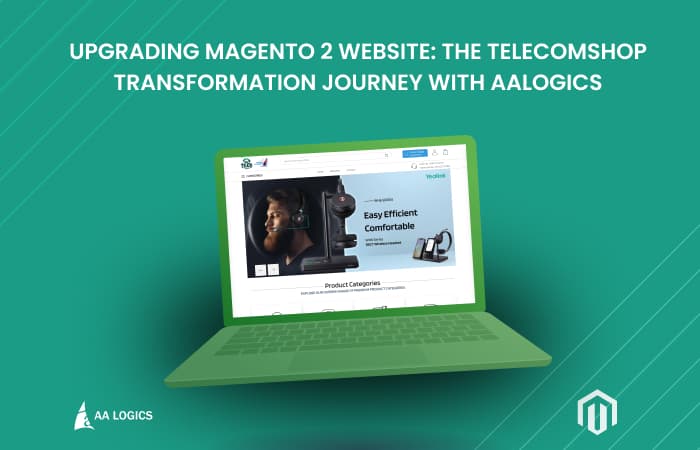
Case Study: Magento 2 Upgrade & Transformation for TelecomShop
Read More
Case Study: Riazone Aliexpress API with Magento2 by AALogics
Read More
Top 15 Magento Development Agencies in 2026
Read More
Boost E-commerce Growth with Magento 2 Mobile App Builder
Read More
DATA Migration From Magento 1.x to Magento 2.x
Read MoreFrequently Asked Questions
Why do Magento 2 upgrades fail?
Magento 2 upgrades fail due to extension incompatibility, PHP version conflicts, outdated custom code, database schema issues, or incomplete upgrade scripts. Most failures happen when upgrades are executed without a proper compatibility audit and controlled testing environment.
What happens if a Magento 2 upgrade is done incorrectly?
An incorrect Magento 2 upgrade can break storefront functionality, disable checkout or payments, cause admin access issues, trigger database errors, or take the entire store offline. In many cases, revenue loss occurs before the problem is noticed.
Can a failed Magento 2 upgrade break checkout or payments?
Yes. Checkout and payment modules are tightly connected to Magento core dependencies. A failed upgrade can disrupt payment gateways, shipping logic, tax calculations, or order placement, directly affecting sales.
Can third-party extensions cause Magento upgrade failures?
Yes. Third-party extensions are one of the most common causes of Magento 2 upgrade failures. Extensions that are outdated or incompatible with the target Magento version can break core functionality during or after the upgrade.
Is it risky to upgrade Magento 2 on a live store?
Upgrading Magento 2 directly on a live store is risky. Without a staging environment and rollback plan, upgrades can cause downtime, broken functionality, or data inconsistencies. Safe upgrades are always tested before deployment.
How does AALogics recover a failed Magento 2 upgrade?
We analyze error logs, upgrade scripts, database changes, and code conflicts to identify the failure point. The store is stabilized first, then corrected using a structured recovery process that restores functionality without data loss.
Do you upgrade Magento 2 with custom code and custom themes?
Yes. We handle Magento 2 upgrades with custom modules, custom themes, and complex business logic. Custom code is reviewed, updated, and validated to ensure compatibility with the upgraded Magento version.
Will upgrading Magento 2 cause data loss?
No, when done correctly. We validate database integrity, backup all data, and verify upgrade scripts to ensure customer data, orders, and configurations remain intact throughout the upgrade process.
How long does a Magento 2 upgrade take?
The timeline depends on store complexity. Simple upgrades may take a few days, while stores with custom code and multiple extensions may require additional time. A clear timeline is provided after the initial assessment.
Should I upgrade Magento 2 or keep using an older version?
Running outdated Magento versions increases security risks, compatibility issues, and performance problems. Upgrading ensures access to security patches, improved performance, and long-term platform stability.