Magento 2 Product Import Guide: Integrating Foxway with Magento 2 Using AALOGICS Supplier Feed Extension

Importing products into Magento 2 can feel overwhelming—especially if you’re dealing with multiple suppliers like Foxway. Manual imports are time-consuming, error-prone, and limit your store’s scalability. That’s where AALOGICS Supplier Feed Extension comes in: a professional solution designed to streamline Magento 2 product import from suppliers like Foxway efficiently and accurately.
Why Magento 2 Product Import from Suppliers Like Foxway Matters
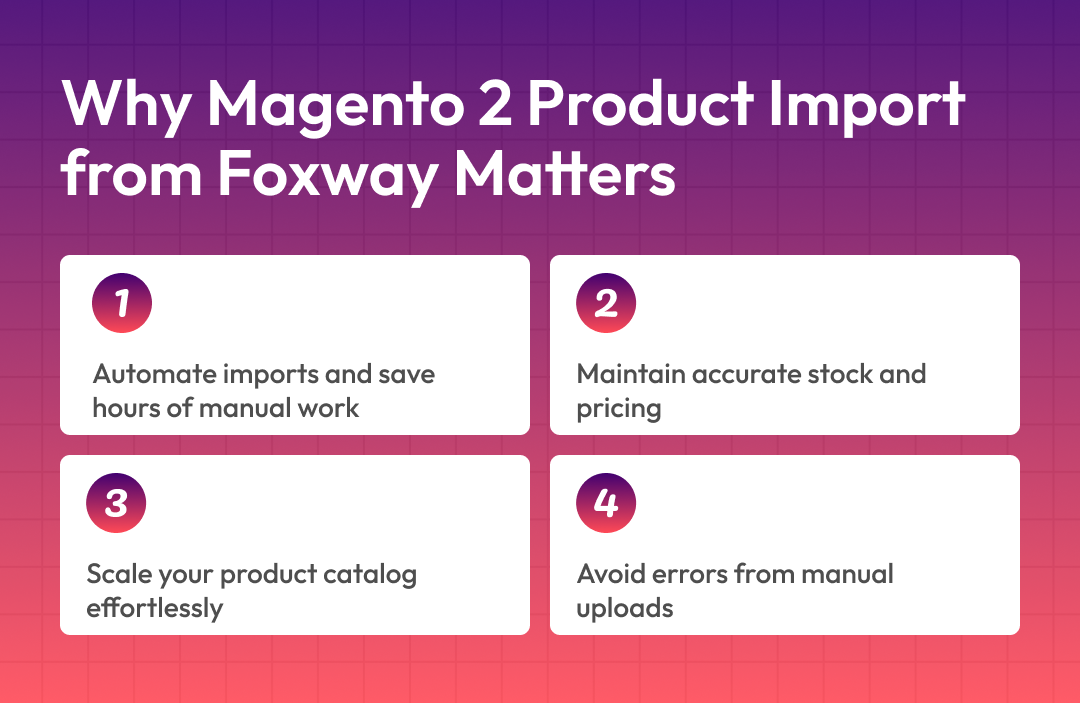
For eCommerce businesses, speed and accuracy are critical. Integrating a supplier feed like Foxway directly into Magento 2 ensures you can:
- Automate product imports without manual uploads.
- Maintain accurate stock levels and prices.
- Scale your catalog quickly as your business grows.
Manually updating thousands of products daily is not just tedious—it increases the risk of mistakes, like incorrect pricing, missing SKUs, or outdated inventory. With supplier feed Magento 2 integration and Foxway Magento integration, you save time while ensuring your store stays accurate and competitive.
Overview of AALOGICS Magento Product Feed Extension
The AALOGICS Magento Product Feed Extension is designed to make your Magento 2 product import extension experience seamless, no matter the supplier or feed format. Key features include:
- Support for multiple feed formats: CSV, XML, JSON, and API
- Flexible integration: Works perfectly with Foxway supplier feeds
- Automated updates: Reduce manual tasks and errors
With Magento product feed extension, you get a robust, scalable solution for keeping your store up-to-date. Whether your supplier delivers products via CSV or API, this extension handles it all smoothly.
Why It Works For Foxway:
- Pre-configured for Foxway feed structure
- Maps categories, attributes, and SKUs accurately
- Supports automated scheduling for ongoing imports
How to Import Products into Magento 2 from Foxway
Now let’s dive into how to import products into Magento 2 from Foxway, step by step.

Step 1 – Add Foxway Supplier Feed
First, connect your Magento 2 store with Foxway. You can do this via API, FTP, or URL, depending on your Foxway account setup.
- Navigate to the AALOGICS Supplier Feed Extension dashboard
- Select Add New Supplier Feed
- Enter your Foxway credentials (API key, username, or password)
- Test the connection to ensure access
This beginner-friendly setup ensures your store can pull product data directly from Foxway without manual CSV uploads.
Step 2 – Configure Category & Attribute Mapping
Once your feed is connected, you need to map supplier data to your Magento store:
- Categories: Align Foxway product categories with your Magento 2 catalog.
- Attributes: Map SKUs, prices, descriptions, images, and stock.
- Rules: Set attribute mapping rules to maintain consistency.
Proper Magento attribute mapping ensures imported products display correctly and behave as expected. Misalignment can cause errors, missing images, or wrong pricing—so this step is crucial for a professional store setup.
Step 3 – Schedule Automated Imports
Automation is key for high-volume stores. With the extension, you can:
- Set up a cron import schedule
- Automate daily or hourly imports
- Ensure products, stock, and prices stay updated without manual intervention
By enabling automated product imports Magento, your team can focus on growth instead of repetitive tasks. Automation minimizes human errors and keeps your store data reliable.
Step 4 – Test Import and Validate Data
Before going live, always run a test import:
- Check stock levels and product quantities
- Verify prices and discounts
- Review images, descriptions, and attributes
Use test import preview and feed error logs to catch any discrepancies. Validating data ensures that when your feed goes live, customers see accurate and complete information.
Business Benefits of Foxway Integration Using AALOGICS
Integrating Foxway via the AALOGICS extension isn’t just a convenience—it directly impacts your business performance:

- Accurate stock sync: Avoid overselling or stockouts with real-time inventory updates
- Automated price updates: Keep pricing competitive without manual adjustments
- Reduced operational overhead: Save time and resources for strategic growth
Additionally, this setup supports Magento dropshipping supplier feed and works alongside Magento 2 price sync extension features for full automation. Your store becomes more agile, responsive, and profitable.
Other Benefits Include:
- Improved customer trust with accurate product information
- Faster catalog expansion
- Easier multi-supplier management
Conclusion
Managing product imports manually is a thing of the past. With Foxway Magento 2 integration and AALOGICS Supplier Feed Extension, your store gets a professional, automated solution for syncing products, stock, and prices accurately.
Ready to simplify your Magento 2 product imports and boost your eCommerce efficiency? Explore the AALOGICS extension today or request a demo to see it in action.
Frequently Asked Questions
How do I install AALOGICS Supplier Feed Extension?
Download the extension from the AALOGICS marketplace, upload it to your Magento 2 app/code directory, then run CLI commands like php bin/magento setup:upgrade, php bin/magento cache:flush, and php bin/magento setup:di:compile for activation. Enable the module in Stores > Configuration under AALOGICS settings and configure API/FTP credentials for Foxway feeds. Test the connection before full import to avoid errors.
What is Foxway integration with Magento 2?
Foxway provides supplier product feeds via API, JSON/XML, or FTP/SFTP that the AALOGICS extension automates into Magento 2 for real-time inventory, pricing, and product updates. Map Foxway categories to your store's structure during setup to ensure seamless syncing. This eliminates manual CSV imports while handling large catalogs efficiently.
Common import errors and fixes?
URL key duplicates occur when SKUs conflict; edit the CSV to add unique keys or use the extension's auto-generate option. Attribute mismatches like 'condition' or 'size' fail validation—verify against admin attribute sets before import. For large feeds, enable cron jobs to process in batches and flush cache post-import.
Does it support automated cron imports?
Yes, configure cron jobs for full, new, stock-only, or expired product deletion imports at minute/hour/day intervals via the extension dashboard. Set frequencies for Foxway feeds to update dynamically without admin intervention. Monitor logs for failures and enable email alerts for issues.
How to map supplier categories to Magento?
In the AALOGICS panel, access the mapping section to align Foxway categories with your attribute sets and store views. Dynamically add custom attributes like supplier-specific fields during setup. Test with a small feed first to validate mappings before bulk processing.
Can it handle configurable products from Foxway?
Use parent-child SKU relationships in feeds with item_group_id for variants; the extension supports dynamic attribute mapping for sizes/colors. Ensure child products have visibility set correctly to avoid 404 errors in feeds. Schedule separate imports for configurables if volumes are high.
Bulk import large supplier feeds safely?
The extension processes thousands of products via cron to prevent timeouts, with options for full or incremental updates. Upload images to /pub/media/import/ and validate CSV formats first. Reindex indexes and flush cache after each run for storefront visibility.
Multi-store or multi-supplier support?
Add multiple Foxway or other suppliers via separate feed profiles in the extension, each with unique cron schedules. Configure per store view for geo-specific pricing/categories. Use filters to exclude/include products across feeds.
Troubleshooting sync failures?
Check API/FTP credentials and XPATH nodes for price/stock extraction in Foxway feeds. Verify server permissions for cron execution and test connections. Common fixes include increasing PHP memory limits for large imports.
Featured Articles

Odoo & React Native Solar Field Service Solution for Spectra Solar
Read More
Custom Odoo Payment Gateway Integration with Edhi Foundation's Ecommerce for AssanPay
Read More
Magento Open Source Versus Mage-OS
Read More
Nearly 70% of Shoppers Leave When They Can't Find a Product — Fix It with an AI Shopping Assistant for Magento 2
Read More
Case Study | Multi-Platform eCommerce API Integration for Lingotuner SAAS : Magento, WooCommerce & Shopify Extension Development
Read More
East West Souk eCommerce Operations Transformed by AAlogics Using Odoo
Read More
How Spectra Solar Optimized Its Lead Generation System With Odoo 17 CRM and Custom API Integration
Read More
Overcoming Odoo Manufacturing Challenges: Why ERP Setups Fail on the Factory Floor
Read More
Magento 2 Slow Site Speed: The Hidden Theme & Extension Mistakes That Quietly Kill Revenue
Read More